
Blur Studio
Blur Studio applies Gaussian blur with soft feathered edges to exact regions of a photo — ellipses, rectangles, or hand-painted grid tiles — and carves out rectangular VIP boxes that stay perfectly sharp even when they overlap a blurred region. It exists because a real launch nearly stalled on exactly this problem, and generative retouching made photos look less real, not more usable. The engine that resulted ships three ways: a glass-UI web app for dragging and painting by hand, a scriptable CLI for shell pipelines, and an MCP server so an AI agent can look at a photo with its own vision and call the exact same tool directly.
The Context
A client launching her brand had a photo gallery ready to go — well over a thousand images — except almost every one had faces in it that couldn't be published, with exactly one exception: hers. She's the face of the business; everyone else in every shot needed to disappear before launch, or the gallery was dead weight.
Hiring a retoucher or masking a thousand-plus photos by hand wasn't realistic against the launch date. Generative retouching (Nanobanana) was tried first — but blurring by regenerating the region meant the photos stopped being real photos: likenesses drifted, backgrounds shifted, and the one thing the gallery needed to stay was reality.
What the problem actually called for was surgical, coordinate-exact control — blur everyone else, leave her untouched — running across a folder too large to touch by hand, in the hours left before launch.
What it does
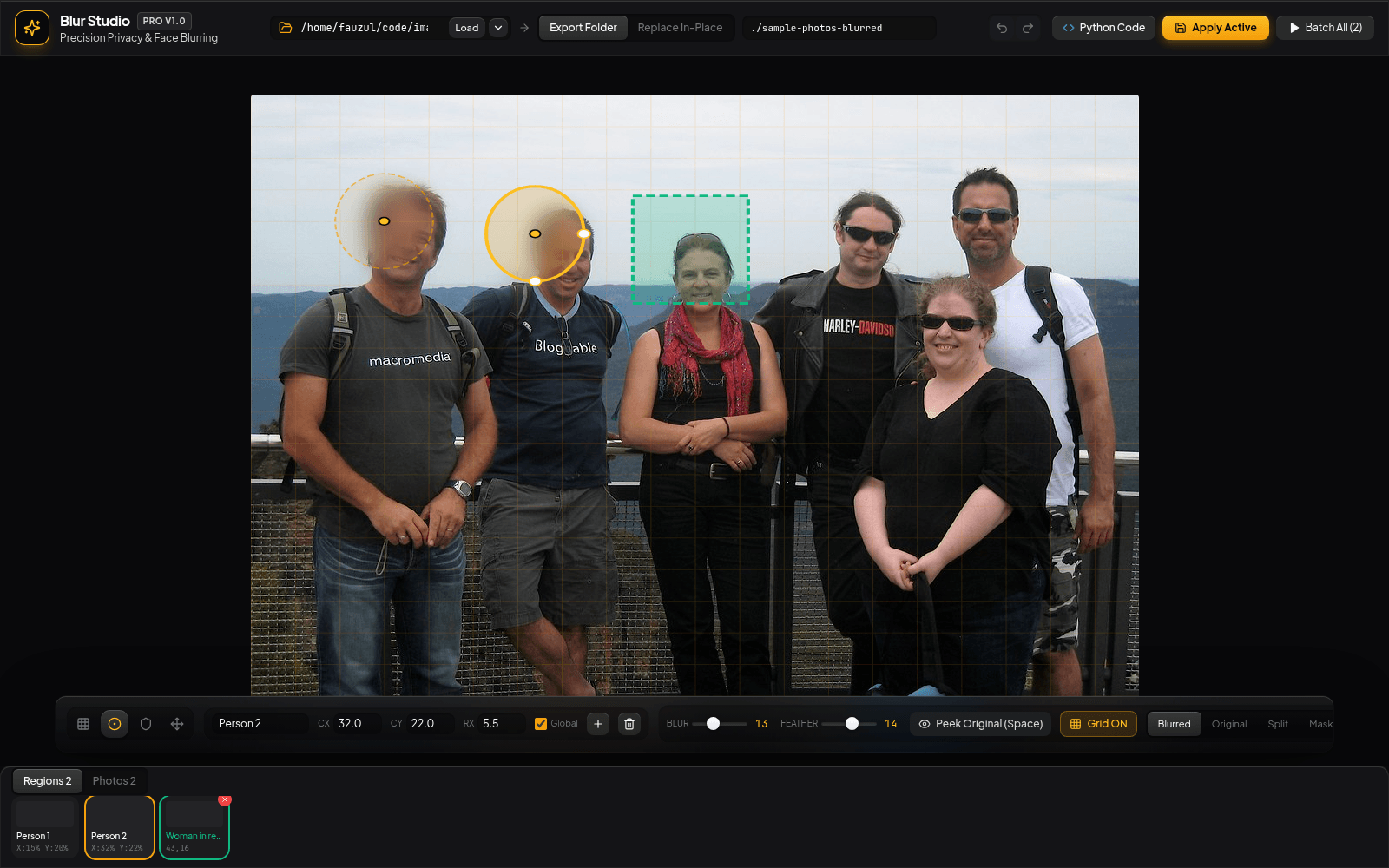
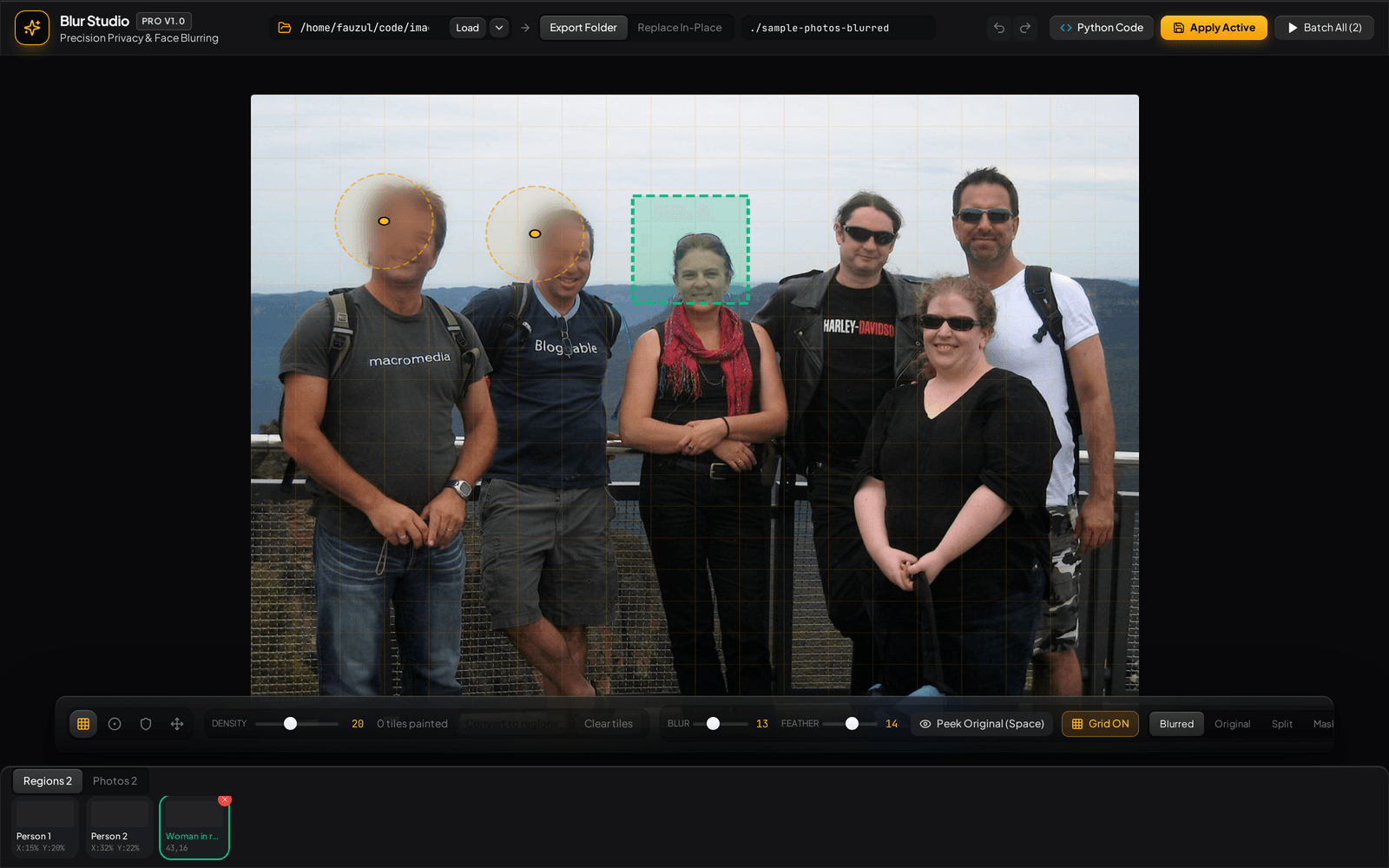
- Four contextual tools. Grid paint, ellipse, VIP exclusion box, and pan — switchable by click or number key, with full undo/redo across every loaded image.
- VIP exclusion boxes. Rectangular "stay sharp" zones that punch through any overlapping blur region — the exact feature the launch needed, generalized: one subject stays crisp in a crowd of blurred faces.
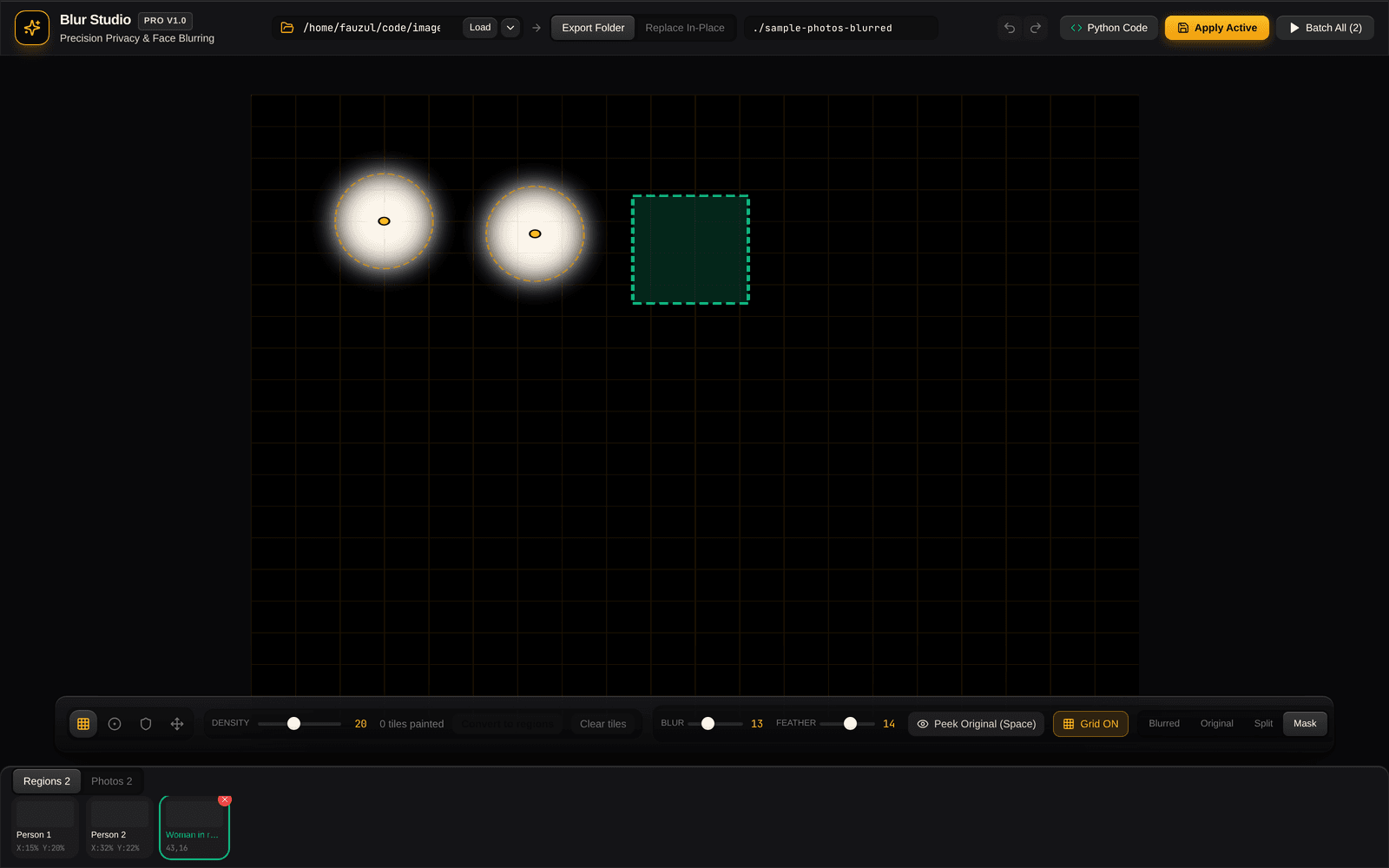
- Four view modes. Blurred, Original, Split, and Mask — see exactly what the blur mask covers before committing to it.
- Batch processing. Apply saved regions across an entire folder in one pass, with a live per-image progress list and one-click zip download.
- Non-destructive by default. Output writes to a separate folder unless in-place replacement is explicitly chosen — and even then, the original is backed up first.
Built overnight, agent to agent
The build itself was agentic end to end: Gemini 3.7 Flash and Claude (Opus and Sonnet) wrote the tool, and the same Claude Code harness driving the build tested it by calling the project's own Skill and MCP server directly — the identical interface an agent would use in production. The tool proved itself by using itself before a human ever opened the web UI.
The web UI, the CLI, and the MCP server are three thin wrappers around one function library — none of them talk to the Python image engine directly, and none of them know more than the others. A manual pass through the web UI handled the one face that had to stay exactly as it was; the rest of the gallery ran through the batch path unattended.
What started as a launch-blocking, thousand-plus-photo emergency closed out as an overnight delivery — crisis to shipped, tested tool inside the hours before launch. Afterward, the one-client fix was generalized and open-sourced under MIT, because the shape of the problem — one face to protect, a crowd to blur, too many photos for a manual pass — was never going to be a one-time need.
High-calibre architecture decisions.
Technical Highlights
- Built agentically under launch-night time pressure — Gemini 3.7 Flash and Claude (Opus, Sonnet) writing the tool, Claude Code testing it live over its own Skill and MCP server before a human touched the UI.
- Coordinate-based blur engine (blurService.js → blur_processor.py, Pillow) shared identically across the web UI, CLI, and MCP server — no front end talks to Python directly.
- Feathered Gaussian blur with per-target radius overrides, plus rectangular exclusion boxes that punch through overlapping blur regions.
- MCP server (StdioServerTransport) exposing 6 tools for direct agent control — scan_folder, get_config, save_image_config, apply_blur, export_python_snippet, list_presets.
- 40 Playwright e2e tests driving the real running app in headless Chromium, covering every tool, view mode, and real Apply/Batch/Download flows.
- Multi-target Docker build — one Dockerfile, two images (web app on :3333, MCP server over stdio) sharing a Node + Python/Pillow base.
Key Decisions & Rationale
The generative alternative had already failed the actual test: regenerating pixels to hide a face made the photo less real, which was the one thing the gallery could not afford. Exact coordinates preserve every pixel outside the marked region, and they let a human and an agent drive the identical engine with identical guarantees.
blurService.js is the single source of truth for the web UI, the CLI, and the MCP server. A new capability only has to be built once to reach all three — which is what made same-night batch processing possible on top of a same-night manual-review UI.
By the numbers.
Studio Walkthrough
Real sessions from the running app — the bundled sample photos are CC0 public domain.
Blur Studio — ellipse targets, a VIP exclusion box (dashed green), and the paint grid, all live on a real photo.
If we worked together.
I bring high-leverage product engineering and absolute operational discipline: shipping weekly, pressure-testing user inputs, and automating delivery pipelines.
See it in the wild.
This case study covers how Blur Studio was built — these links open what ships today: the live product, repo, demos, and supporting material.
Trestate
Trestate scores any point in London or Paris for residential fit or for a specific kind of business — bakery, optician, supermarket — based on what actually surrounds it: amenities, schools, transit, competitors, demographics, cost. Every hex on the map precomputes to a single ~200-feature vector, so a score, a chat answer, or an export is always a read against real data, never a live computation. It's deliberately narrow about what it's willing to claim: the product is licensed to say a position resembles where a trade is already established, never that it will succeed there — a discipline that came out of killing more hypotheses than it kept.